STM32 MCU Families Explained: F0, F1, F4, G0, G4, H5, H7, U5
If you have spent any amount of time looking for STM32 on ST’s website, you already know the problem. You search for “STM32,” and instead of one chip, you get a wall of names. F0, F1, F3, F4, F7, G0, G4, H5, H7, L4, L5, U5, C0, and a few more mixed in. For someone new to STM32, this product line looks very complicated.
The good news is that once you understand why these families exist and what actually separates one from another, the whole thing stops feeling random. Each family is built for a specific kind of job, and once you know the pattern, picking the right one for your project becomes a lot easier.
In this article, I will walk through why STM32 has so many families, how the naming actually works, what each major family is built for, and how you can compare two STM32 chips properly instead of just guessing based on the name.
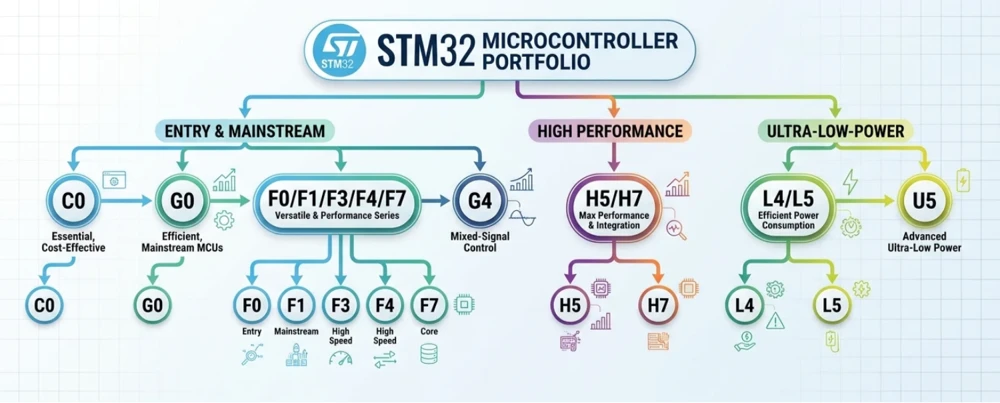
Table of contents
Why Does STM32 Have So Many MCU Families?
This is the first question almost everyone asks, and it has a fairly simple answer. Not every project needs the same thing from a microcontroller.
A soil moisture sensor that wakes up once every ten minutes, takes one reading, and goes back to sleep does not need a powerful processor. It needs something that consumes almost no power and costs very little, because you might be building thousands of these. On the other hand, a robotics controller that is reading multiple sensors, running a control loop, and driving a display all at the same time needs real processing power, and it needs it without any lag.
If STM32 offered only one chip that tried to do both jobs well, it would end up being too expensive and too power-hungry for the sensor, and not fast enough for the robotics controller. So instead, STMicroelectronics built separate families, each tuned for a different priority, whether that is cost, power consumption, raw performance, or security.
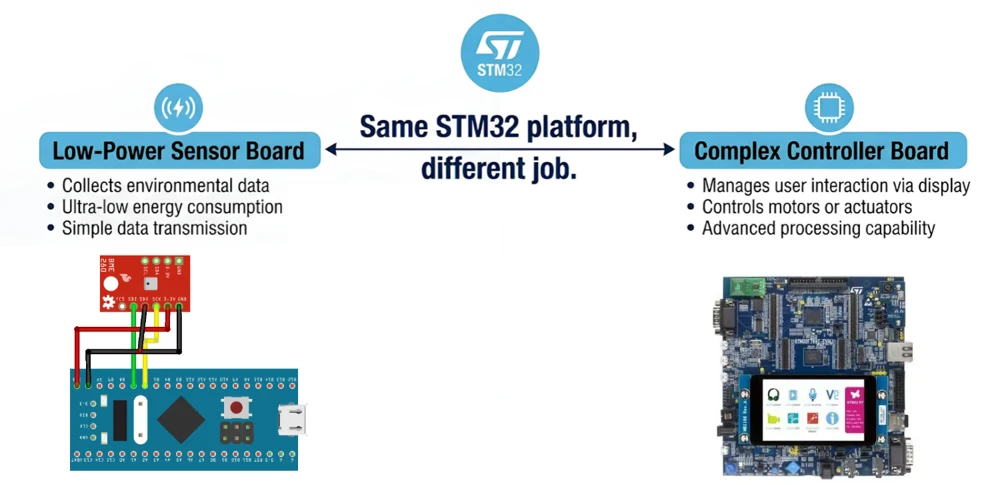
This is also why companies like STM32 in the first place. A business can start a product on a cheap, basic chip, and if the product grows and needs more power later, it can move to a bigger STM32 family without discarding everything it already built. The core ideas, the tools, and a lot of the code carry over, because everything sits on the same Arm Cortex-M foundation.
So the large number of families is not something ST making things complicated for no reason. It is what lets a single company serve a $2 sensor project and a $200 industrial controller with the same underlying platform.
Understanding STM32 Family Naming
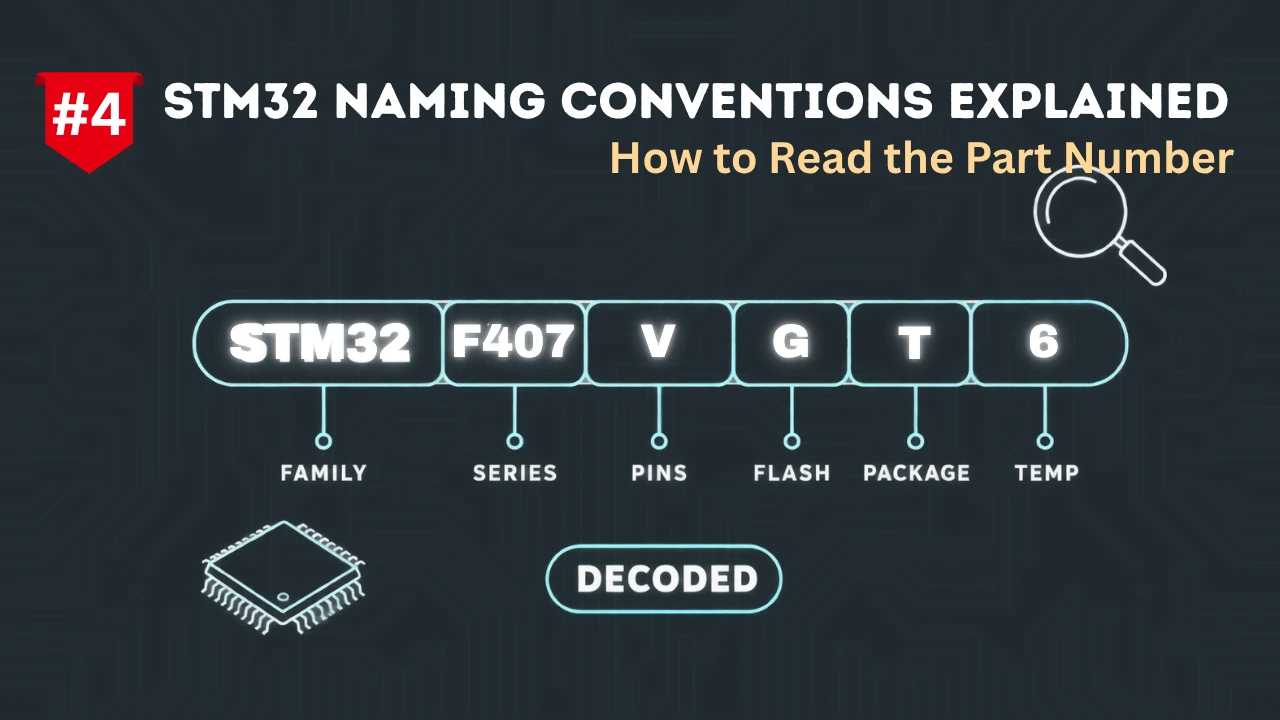
Before looking at individual families, it helps to understand what the name itself is telling you. Take a chip like the STM32F407VGT6. It looks intimidating, but every part of it means something.
| Part | Example | What It Tells You |
|---|---|---|
| STM32 | STM32 | Confirms it is part of the STM32 line, built on an Arm Cortex-M core |
| Family letter and number | F4 | The family and its general performance and price bracket |
| Sub-line number | 07 | A more specific product within that family, with its own feature set |
| Pin count code | V | Number of pins on the package |
| Flash size code | G | Amount of flash memory on the chip |
| Package type | T | Physical package, such as LQFP or BGA |
| Temperature range and revision | 6 | Operating temperature range and silicon revision |
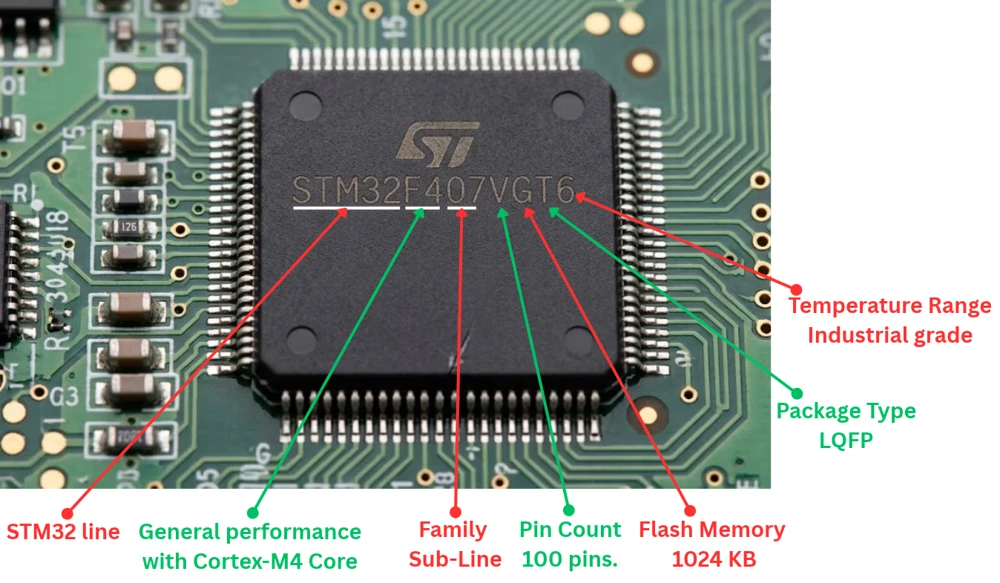
You do not need to memorize every single code to work with STM32. What actually matters day to day is the family letter and number, since that tells you which core the chip uses, roughly how fast it runs, and what kind of project it is meant for. The rest of the code becomes useful later, once you are choosing a specific part for a specific board or enclosure.
One more thing worth knowing early on. The letter in the family name is not random either. F generally means a general-purpose, foundation line. L stands for low power. H stands for high performance. G stands for a newer, cost-optimized mainstream line. C is the newest addition, aimed at the very entry level. U is a newer ultra-low-power line meant to eventually take over from some of the L-series chips. Keeping this loose pattern in mind makes the whole lineup much easier to read at a glance.
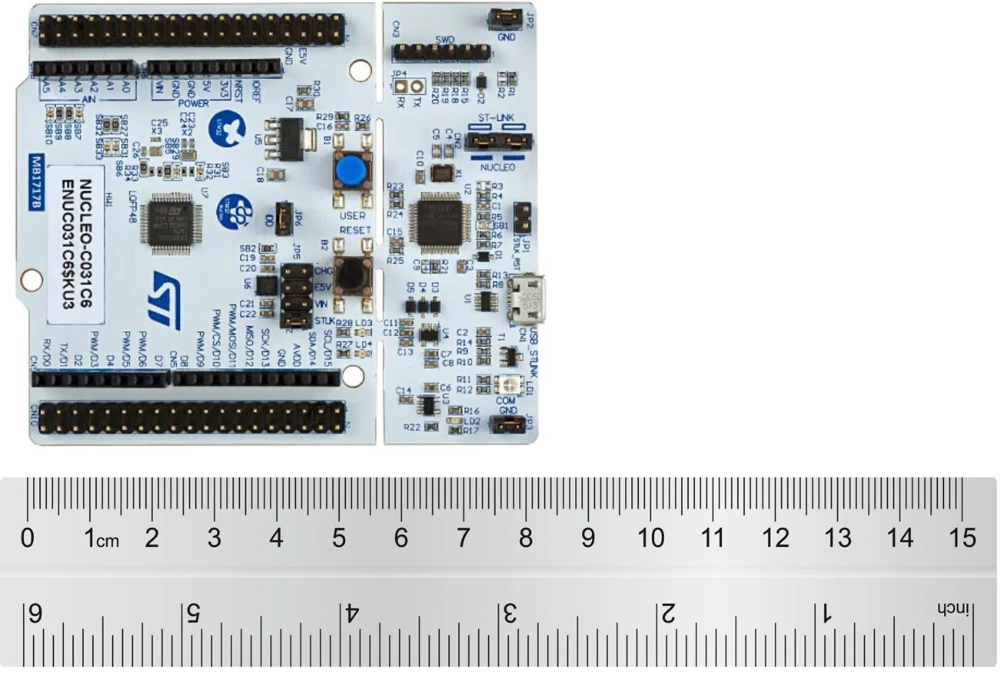
STM32 C0 and G0
Let’s start from the entry level, since this is usually where beginners and cost-sensitive projects begin.
STM32C0 is the newest and most basic family in the whole STM32 line. It uses an Arm Cortex-M0+ core and is built to be as inexpensive as possible, while still giving you real STM32 tools and a real STM32 development experience. These chips run at lower clock speeds, carry a smaller amount of flash and RAM, and come in smaller packages. They exist mainly to compete with basic 8-bit and 16-bit microcontrollers, except you still get 32-bit performance, the CubeMX and CubeIDE workflow, and access to the wider STM32 ecosystem.
STM32G0 sits just one step above C0. It also uses the Cortex-M0+ core, but it runs at a higher clock speed and offers more memory, more peripherals, and more package options. G0 chips are a common choice for simple consumer products, basic sensor nodes, small appliances, and any project where you want STM32’s ecosystem and reliability without paying for performance you will never use.
The difference between the two is straightforward. If your project is extremely price sensitive and does very little processing, such as reading one sensor and blinking a status LED, C0 is worth considering. If you need a bit more headroom, a few extra peripherals, or slightly higher clock speeds, G0 is usually the better fit, and it is still very affordable.
STM32 F0, F1, F3, F4 and F7
The F-series is the original backbone of STM32, and it is still the family most tutorials are built around.
STM32F0 uses the Cortex-M0 core and is the most basic chip in this group. It is aimed at simple, low-cost applications where you do not need floating-point math or heavy processing, just reliable digital and analog input and output.
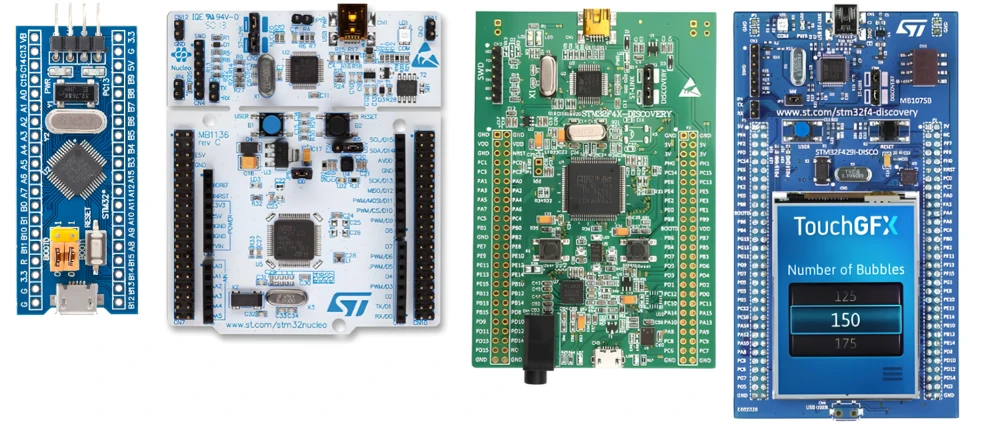
STM32F1 was one of the original STM32 families and uses the Cortex-M3 core. It became extremely popular partly because of cheap, widely available boards like the Blue Pill. F1 chips are a solid, general-purpose choice for learning the basics, things like GPIO, timers, UART, and simple ADC work.
STM32F3 steps up to the Cortex-M4 core and adds a hardware floating-point unit along with some analog features that F1 does not have. Such as faster ADCs and built-in op-amps on some parts. This makes F3 a good fit for analog-heavy applications and certain motor control projects.
STM32F4 is arguably the most well-known STM32 family, and for good reason. It also uses the Cortex-M4 core with a floating-point unit, runs at higher clock speeds than F1 or F3, and offers a large number of peripherals along with strong community support. If you are unsure where to start with STM32, F4 is still one of the safest and most well-documented choices available.
STM32F7 moves up to the Cortex-M7 core, which brings a significant jump in raw processing power along with a larger cache and better memory handling. F7 chips are suited to tasks that genuinely need extra horsepower, such as graphics-heavy displays, more demanding signal processing, or applications running several time-critical tasks at once.
Across F0 to F7, the pattern is simple. As the number goes up, so does the core capability and the price. F0 and F1 cover the basics. F3 and F4 handle general-purpose and motor control work with room to spare. F7 is there for when you genuinely need more processing power than F4 can comfortably provide.
STM32 G4
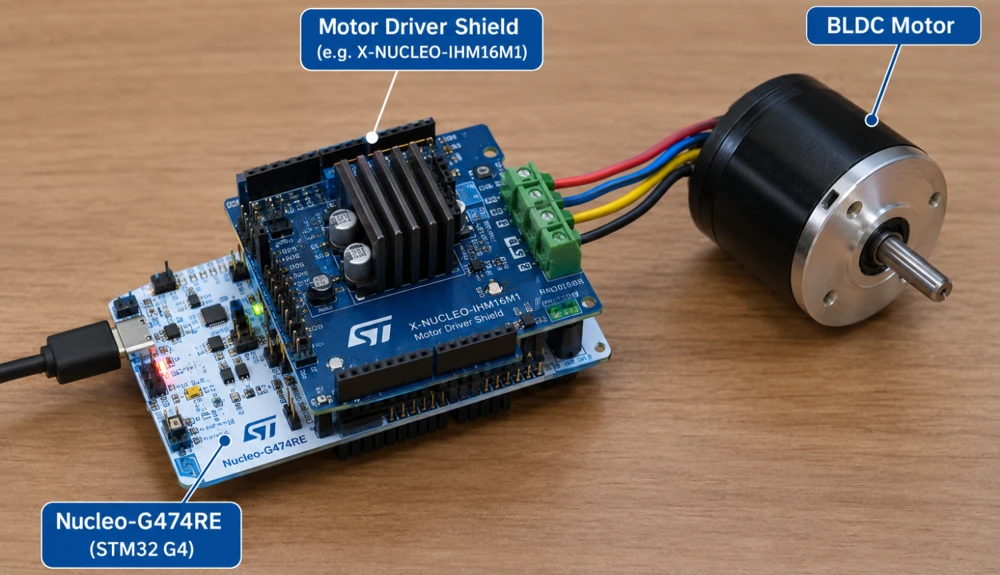
STM32G4 deserves its own section because it is not simply “a newer F4.” It is a distinct family built with a specific job in mind, mixed-signal and motor control applications.
G4 uses the Cortex-M4 core with a floating-point unit, similar to F4, but it adds hardware that F4 does not have. This includes a CORDIC coprocessor for fast trigonometric calculations and a hardware math accelerator, both of which are genuinely useful in motor control algorithms like field-oriented control. G4 chips also come with high-resolution timers and fast, precise ADCs, which matter a lot when you are driving a motor or managing a power conversion circuit.
Because of this focus, G4 has become a common pick for digital power supplies, motor drives, and other applications where precise timing and fast math matter more than raw clock speed. If your project is a general-purpose sensor or display project, F4 or G0 will likely serve you just as well and at a lower cost. But if you are working on something that involves motor control or real-time analog signal processing, G4 is worth a serious look.
STM32 H5 and H7
At the top of the performance range sit H5 and H7, and while both carry the H prefix, they are built quite differently underneath.
STM32H7 is the traditional high-performance family and uses the Cortex-M7 core, running at clock speeds up to 480 MHz on most parts. Some dual-core H7 variants also pair a Cortex-M7 with a smaller Cortex-M4 for handling secondary tasks. H7 chips carry large amounts of flash and RAM, and support advanced memory interfaces. They are built for tasks such as heavy digital signal processing, real-time graphics, and applications running multiple demanding operations at once. If your project needs serious computing power, H7 is the most preferred choice.
STM32H5 takes a different approach. Instead of chasing the highest possible clock speed, it uses the newer Cortex-M33 core, which runs up to 250 MHz and brings Arm TrustZone security built directly into the hardware. H5 is meant for applications where security matters just as much as performance. It is useful for devices that need to protect their firmware and communication from tampering, without needing anywhere near the raw power of H7.
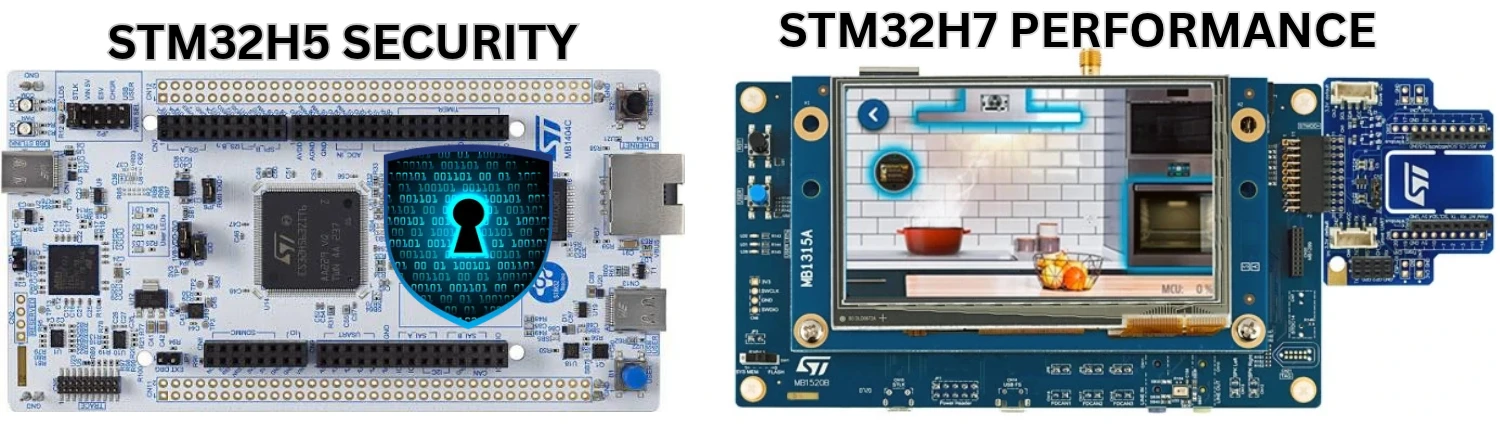
So the choice between H5 and H7 usually comes down to what your project actually needs more of. If the priority is raw processing power for something like graphics or heavy computation, H7 is the stronger choice. If the priority is a secure, connected device that still needs solid performance, H5 is built exactly for that.
STM32 L4, L5 and U5
This group is where battery life takes priority over almost everything else.
STM32L4 uses the Cortex-M4 core with a floating-point unit, but it is tuned heavily for low power consumption. L4 chips are a common choice for battery-powered devices that still need to do a reasonable amount of processing. The includes devices such as wearables, portable measurement tools, and sensor nodes that need to run for months on a small battery.
STM32L5 builds on the same low-power philosophy but moves to the Cortex-M33 core, which brings Arm TrustZone security along with it. L5 is aimed at battery-powered devices that also need a genuine hardware security boundary, which has become more important as more small, connected devices handle sensitive data.
STM32U5 is the newest family in this low-power group and is positioned as the long-term successor to L4 and L5. It also uses the Cortex-M33 core with TrustZone, but it pushes power efficiency even further while also offering more memory and more peripheral options than L5. If you are starting a new battery-powered project today and want the most future-proof option in this category, U5 is generally the one you should go with.
In short, L4 is a strong choice if you need low power without paying for security features you do not need. L5 and U5 make sense once security becomes a real requirement, with U5 being the newer and more capable of the two.
How to Compare Two STM32 MCUs
Once you understand the families, the next task is to compare two specific chips properly, instead of assuming a higher number always means a better choice.
Start with the core. The Cortex-M core used by a chip tells you a lot on its own. M0 and M0+ are simple and efficient. M3 sits a step above them with better instruction handling. M4 adds a floating-point unit, which matters for math-heavy code. M7 is built for raw speed. M33 adds hardware security through TrustZone, on top of performance similar to M4 in many cases.
After the core, look at clock speed, but do not treat it as the whole story. A higher clock speed only matters if your application is actually limited by processing speed. Many projects are limited by how fast a sensor can respond or how quickly a communication line can send data, not by how many instructions the processor can execute per second.
Next, check memory. Flash memory decides how large your compiled program can be, and RAM decides how much working data you can hold while the program runs. A chip with a fast core but very little RAM can still struggle with certain applications, especially ones handling buffers, graphics, or larger data structures.
STM32F7508-DK Discovery kit is a classic example of it. The board has the power of M7 core with large enough RAM but comes with a small amount of Flash memory (64KB). Therefore you need to rely on external flash memory for running even a simple display based projects. This kit is now discontinued.
Then look at the peripherals. Two chips from different families might have a similar core, but one might include CAN-FD, USB, or an extra ADC that the other does not. For a lot of real projects, the peripheral list ends up mattering more than the raw core speed.
Finally, consider power consumption and package options. If your project runs on a battery, a chip’s sleep current and wake-up time can matter more than almost anything else on the datasheet. And if you are designing your own board, the available package sizes will affect how small your final design can be.
Which STM32 Family Should You Choose?
With all of that in mind, here is a simple way to think about picking a family for your own project.
| Your Situation | Good Starting Family |
|---|---|
| Learning STM32 basics, tight budget | C0 or G0 |
| General-purpose project, good community support | F4 |
| Simple analog or basic learning project | F1 or F0 |
| Motor control or precise analog timing | G4 |
| Heavy processing, graphics, or DSP | H7 |
| Connected device needing built-in security, moderate performance | H5 |
| Battery-powered device, general processing | L4 |
| Battery-powered device needing hardware security | L5 or U5 |
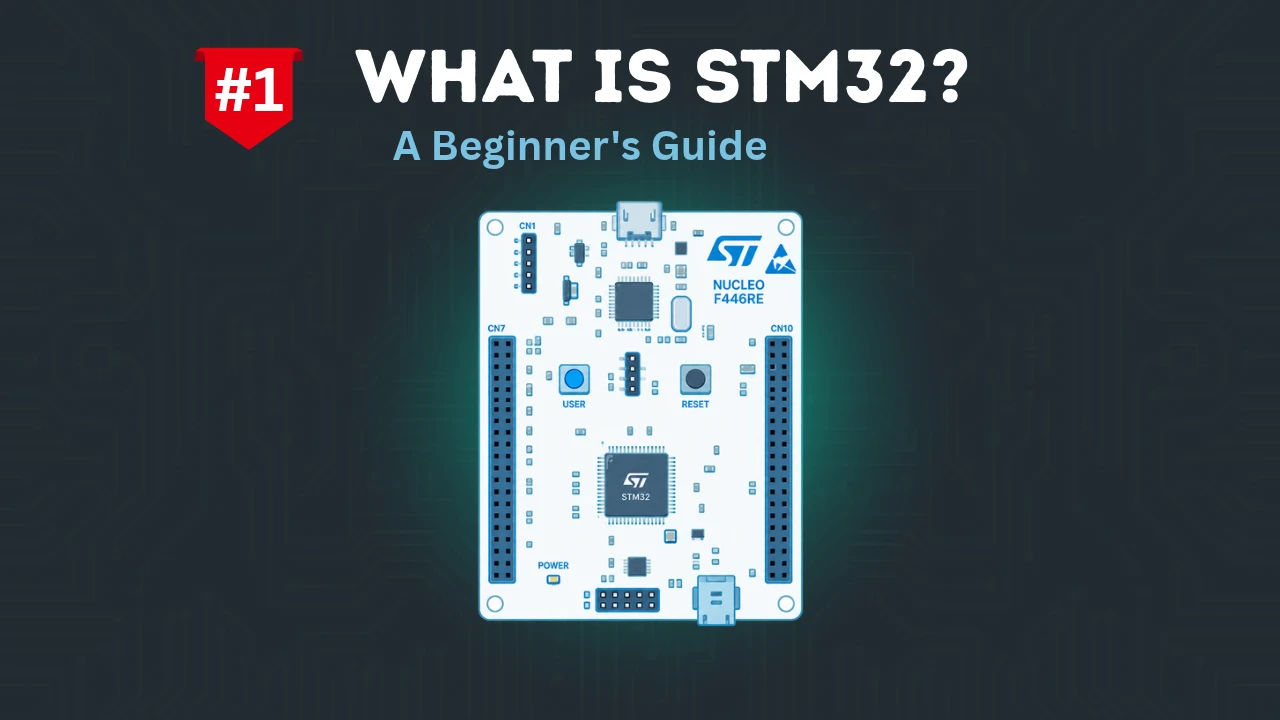
If you are completely new to STM32, my honest suggestion is to still start with an F4-based board, such as one from the Nucleo lineup. It is affordable, extremely well documented, and almost every beginner tutorial you will find online, including the ones on this site, is written with F4 in mind. Once you are comfortable with the basics, moving to a more specialized family like G4 for motor control, H7 for heavy processing, or U5 for a battery-powered product becomes a much smaller jump.
The name on the chip should never be the starting point of your decision. The actual requirement of your project, power budget, processing load, memory needs, and required peripherals, should always come first. Once you know that, the right STM32 family usually becomes obvious.
Wrapping up
STM32 looks confusing at first only because there are so many families crammed under one name. Once you break it down, the pattern is simple. C0 and G0 cover the basics at the lowest cost. F0 through F7 form the general-purpose backbone most people start with. G4 is built specifically for motor control and precise analog work. H5 and H7 sit at the top, one leaning toward security and the other toward raw performance. L4, L5, and U5 exist for anything that needs to run for a long time on a small battery.
None of these families is universally “the best” one. The right family is simply the one that matches what your project actually needs, and now that you know what separates them, choosing should feel a lot less like guesswork.
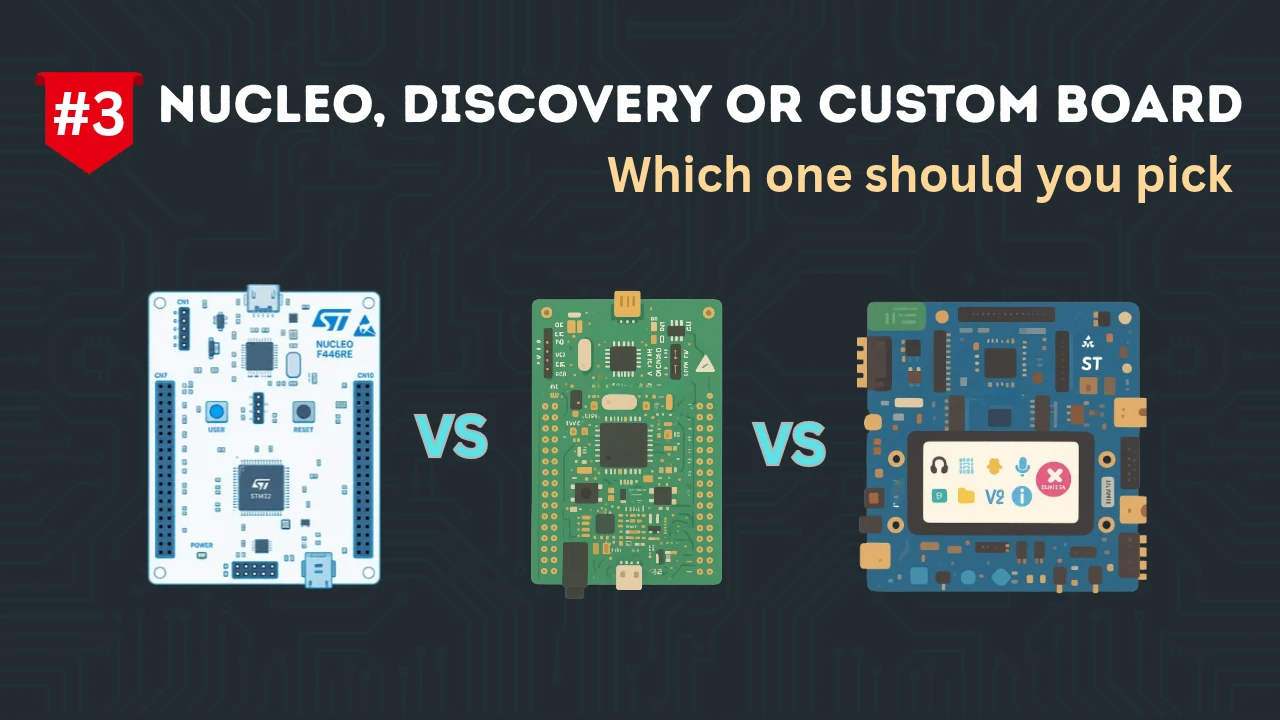
If you have not picked a development board yet, a good next step is reading through how Nucleo, Discovery, Eval, and custom boards differ, so you can match the right board type to the family you have chosen here.